
.jpg)
Thank you for choosing ShuHaRi!
JUKI-ShuHaRi was upgraded on August 4th, 2026.
In this version upgrade, the functionality of the smartphone app has been greatly enhanced.
Major Upgrades in the New Version
Utilizing the QR code engraved on the sewing machine's nameplate
You can now register or select a sewing machine by scanning the QR code engraved on its nameplate. Additionally, a QR code scanning button has been added to the top screen to improve usability when scanning QR codes.
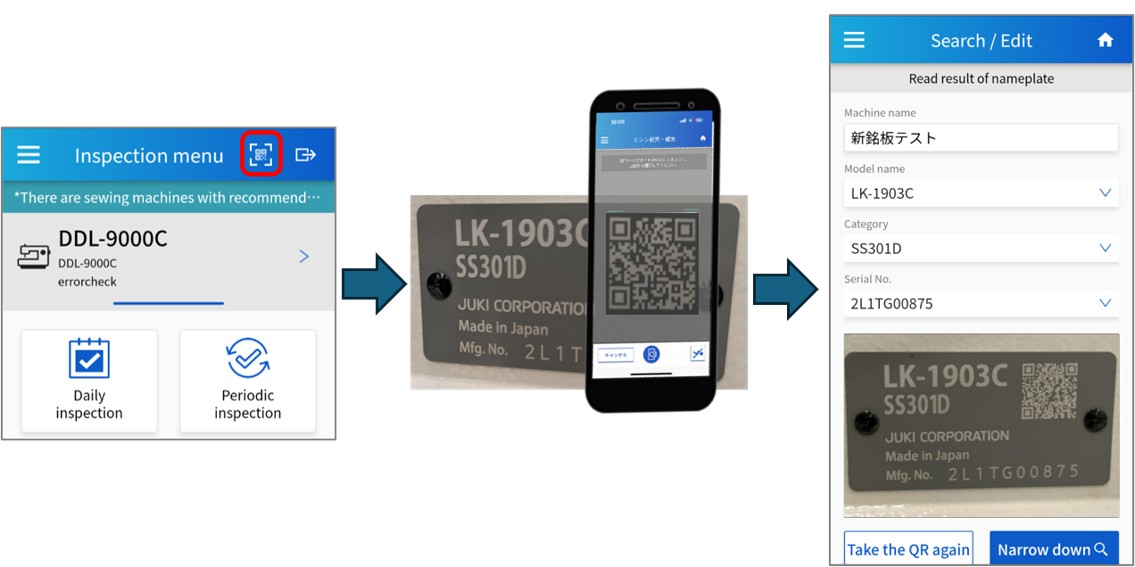
When registering a sewing machine, you can now easily complete the process by scanning the QR code on the nameplate, which automatically retrieves the Model name, Category, and Serial No.
* As a result of this update, the OCR recognition function for sewing machine nameplates has been discontinued.
* As a result of this update, the OCR recognition function for sewing machine nameplates has been discontinued.
Watch a video of the operation.
| ▶ Registering a Sewing Machine | ▶ Selecting a Sewing Machine |
Supported QR codes
| Readability | QR Code Types | QR code image |
|---|---|---|
| Readable via ShuHaRi |
QR code on the latest sewing machine nameplate | 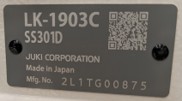 |
| QR code generated by ShuHaRi Cloud | 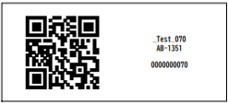 |
|
| Unreadable by ShuHaRi |
QR code on the nameplate of an older model | 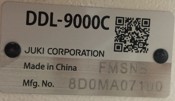 |
| Other QR codes |  |
Expansion of target content
1. PDF display within inspection content
You can now view PDF documents during inspections, adjustments, and other tasks.
It is now possible to display information that could not be shown previously, such as parameter lists.
2. File download support
You can now download various file types—such as Zip files, PowerPoint presentations, and Excel spreadsheets—directly from the ShuHaRi app.
Watch a video of the operation.
| ▶ PDF Viewing & File Downloads |
Transition from the content page to the list page
You can now return to the list page from the "Adjustment / Other work" content page after selecting an item, without having to complete the operation.
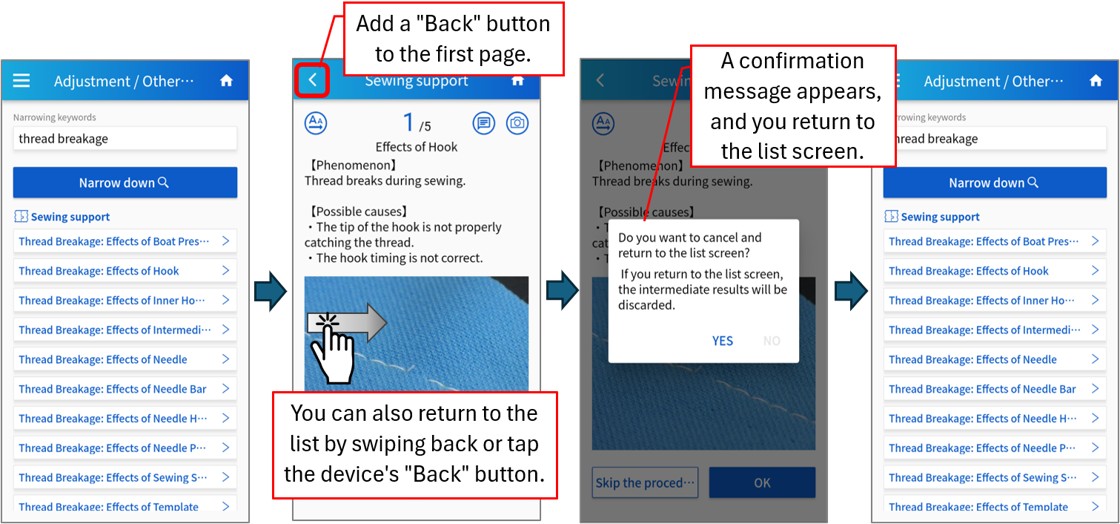
Note: Daily inspections and periodic inspections are not covered by this function.
Note
・ For the cloud application, the version is automatically upgraded, and no version upgrade operation is required. For the smartphone application, version upgrade work is required. (Latest Ver. 2.4.0) If you use an older version of the smartphone app, an upgrade message will be displayed. Follow the guidance to upgrade.
・ If the update fails, please uninstall the app and then reinstall it.
We will continue to strive to provide better service in the future.
For using JUKI-ShuHaRi
To use this app, you must register for an account in advance.
You can apply for account registration using the application form below.
*It will take approximately 3 business days to register your account.
ShuHaRi application form
You can apply for account registration using the application form below.
*It will take approximately 3 business days to register your account.
ShuHaRi application form
We also provide sewing machine registration support and operating instructions when you start using the machine. In addition, it is also possible to customize inspection items to suit your operation and to register inspection items for equipment other than JUKI sewing machines, so please feel free to contact us with your requests.
JUKI inquiry form
JUKI inquiry form
Please log in from this page to use JUKI-ShuHaRi.
ShuHaRi login page
ShuHaRi login page


