
.jpg)
Thank you for choosing ShuHaRi!
In this post, we will introduce some examples of how ShuHaRi is being used.
In this post, we will introduce some examples of how ShuHaRi is being used.
Usage Examples
Error code search function
Have you ever encountered an error with your sewing machine and been unsure how to resolve it?
In such cases, ShuHaRi's "Error code search function" can help you troubleshoot!
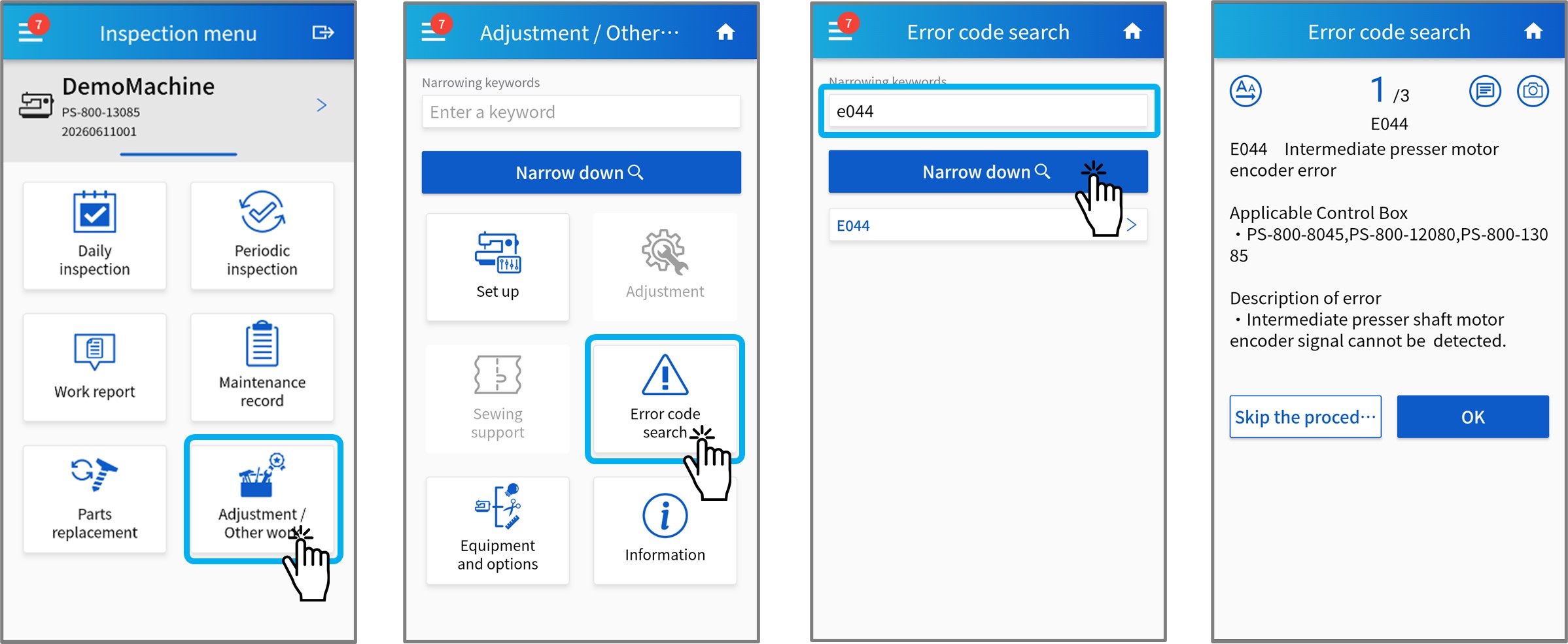
① From the ShuHaRi app's Top Menu, select "Adjustments / Other Works" > "Error Code Search."
② Select the error number that is occurring from the displayed list. You can refine the results by entering the error code in the keyword field and tapping the "Narrow down" button.
③ The error details and points to check will be displayed. Follow the instructions to identify the cause of the malfunction.
In such cases, ShuHaRi's "Error code search function" can help you troubleshoot!
① From the ShuHaRi app's Top Menu, select "Adjustments / Other Works" > "Error Code Search."
② Select the error number that is occurring from the displayed list. You can refine the results by entering the error code in the keyword field and tapping the "Narrow down" button.
③ The error details and points to check will be displayed. Follow the instructions to identify the cause of the malfunction.
Keyword search function
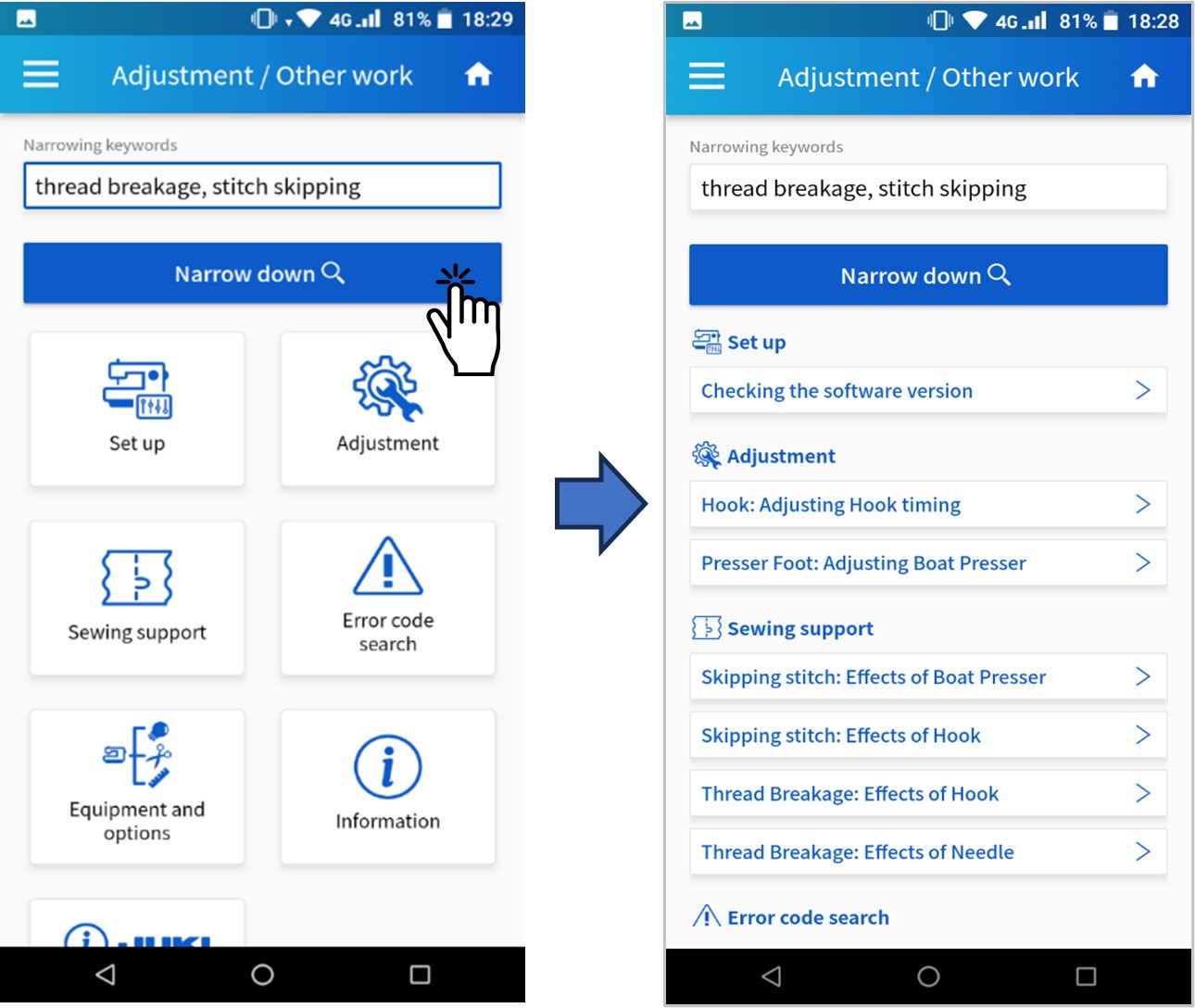
In addition, you can also search by keyword.
Keyword searches use an OR search function, allowing you to extract multiple related errors and refer to their corresponding troubleshooting steps.
This is useful when, for example, "no errors have occurred, but there are unusual behaviors."
Keyword searches use an OR search function, allowing you to extract multiple related errors and refer to their corresponding troubleshooting steps.
This is useful when, for example, "no errors have occurred, but there are unusual behaviors."
We will continue to strive to provide better service in the future.
If you have any questions about ShuHaRi's functions or how to use it, please feel free to contact us. Our expert staff will be happy to assist you.
If you have any questions about ShuHaRi's functions or how to use it, please feel free to contact us. Our expert staff will be happy to assist you.
For using JUKI-ShuHaRi
To use this app, you must register for an account in advance.
You can apply for account registration using the application form below.
*It will take approximately 3 business days to register your account.
ShuHaRi application form
You can apply for account registration using the application form below.
*It will take approximately 3 business days to register your account.
ShuHaRi application form
We also provide sewing machine registration support and operating instructions when you start using the machine. In addition, it is also possible to customize inspection items to suit your operation and to register inspection items for equipment other than JUKI sewing machines, so please feel free to contact us with your requests.
JUKI inquiry form
JUKI inquiry form
Please log in from this page to use JUKI-ShuHaRi.
ShuHaRi login page
ShuHaRi login page


